Setting up Exotel IVR caller lookup.
Use this when your IVR answers first and the caller’s number never reaches Zvani — your records show the IVR’s own line instead. A read-only API key to your Exotel call log puts the real number back on every call.
1. Create the key in Exotel.
Open Developer
Sign in at my.in.exotel.com as an Admin and click Developer at the bottom of the left menu.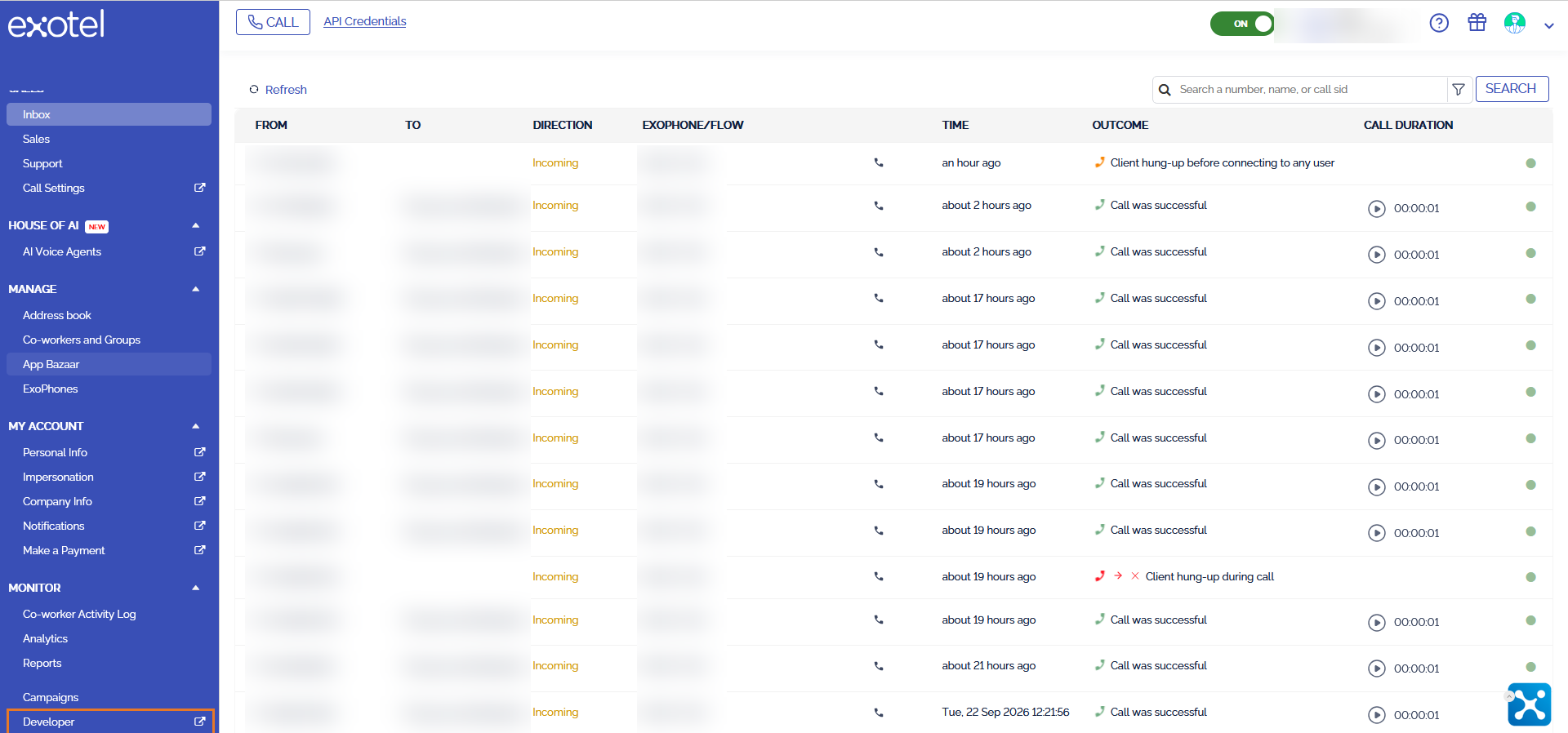
Only Admins can see this menu. If you cannot, ask whoever owns the Exotel account.
Create API key
Click CREATE API KEY.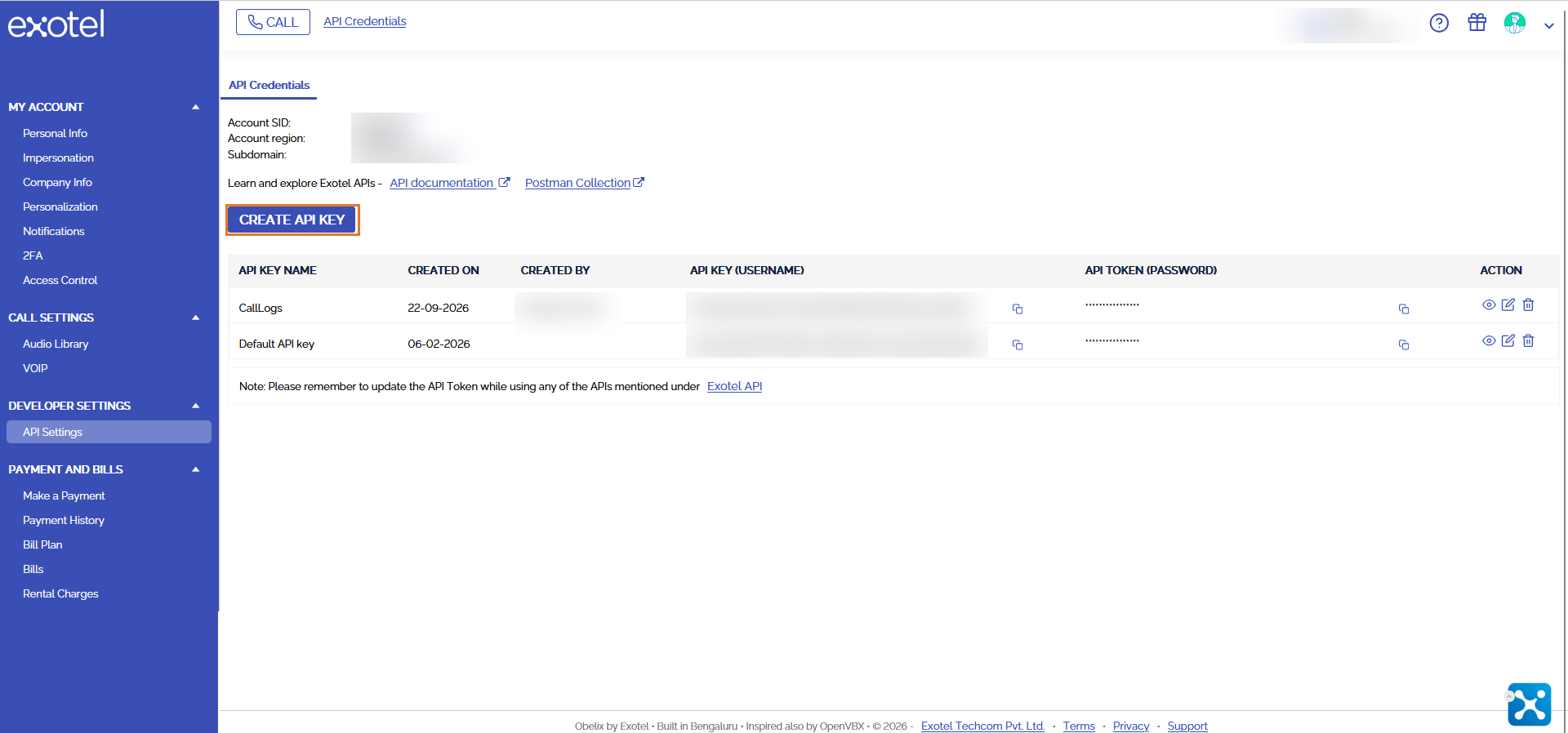
Tick only GET calls/*
Name it something you will recognise later, such as ZvaniReadCallLogs. Then tick onlyGET calls/*and hit CREATE.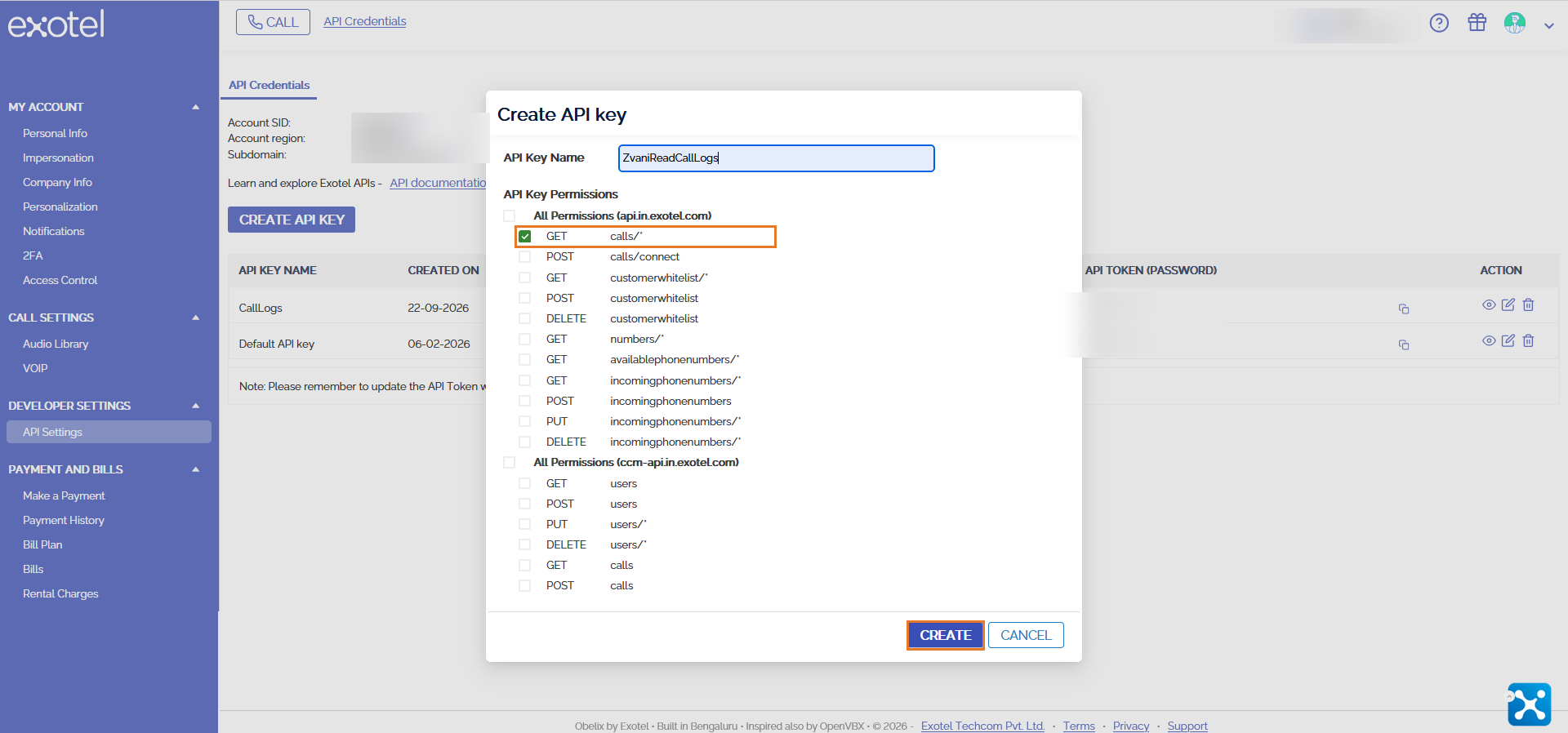
That one permission is the point — the key can read your call log and nothing else. Leave every other box unticked.
Copy the four values
From the top of the same page copy your Account SID and Subdomain, and from your new row the API Key and API Token (the eye icon reveals the token).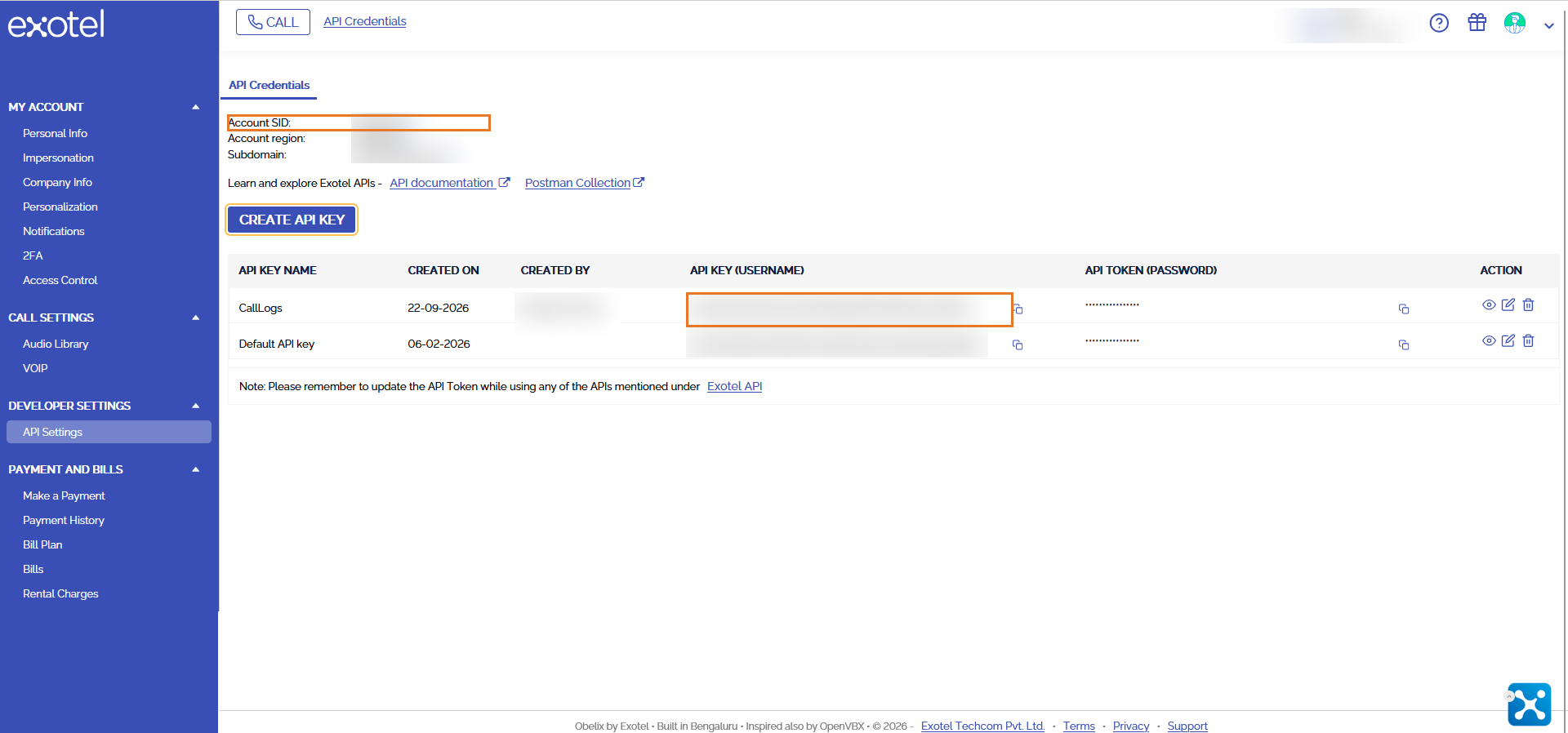
2. Connect it in Zvani.
Paste them into Zvani
Setup → Phone numbers → Exotel caller lookup. Fill in all five:- Account SID
- Subdomain — pick the one your Exotel page shows
- IVR main number — the number your customers dial
- API key
- API token

Press Test
It shows a few real calls back to you, so you can see the caller numbers before anything is switched on.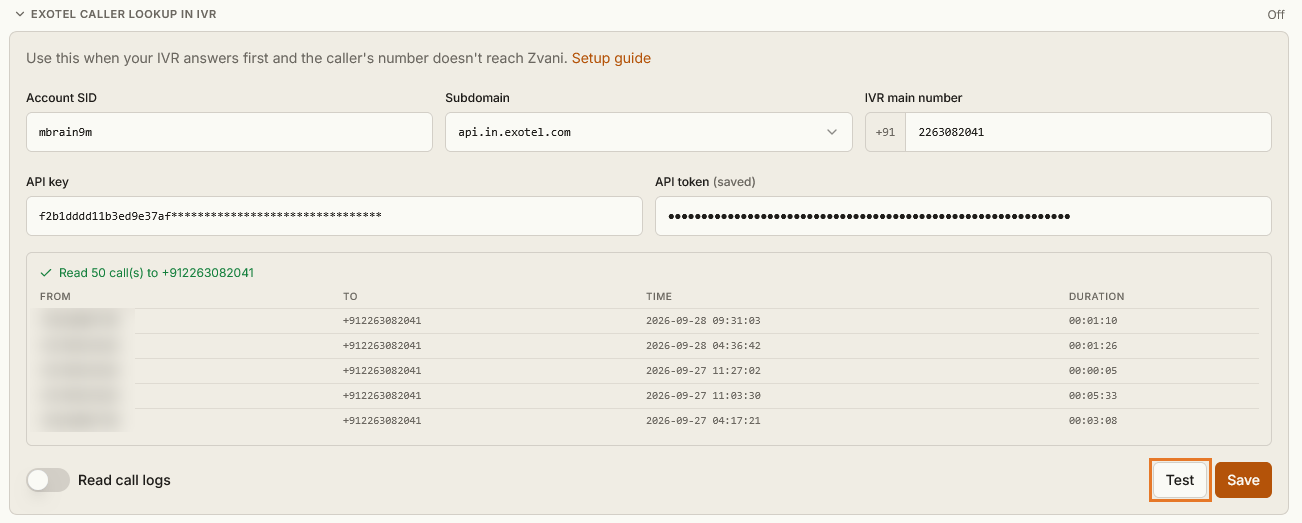
Switch it on
Turn on Read call logs. Then open your agent and turn on Exotel caller lookup under Post-call analysis.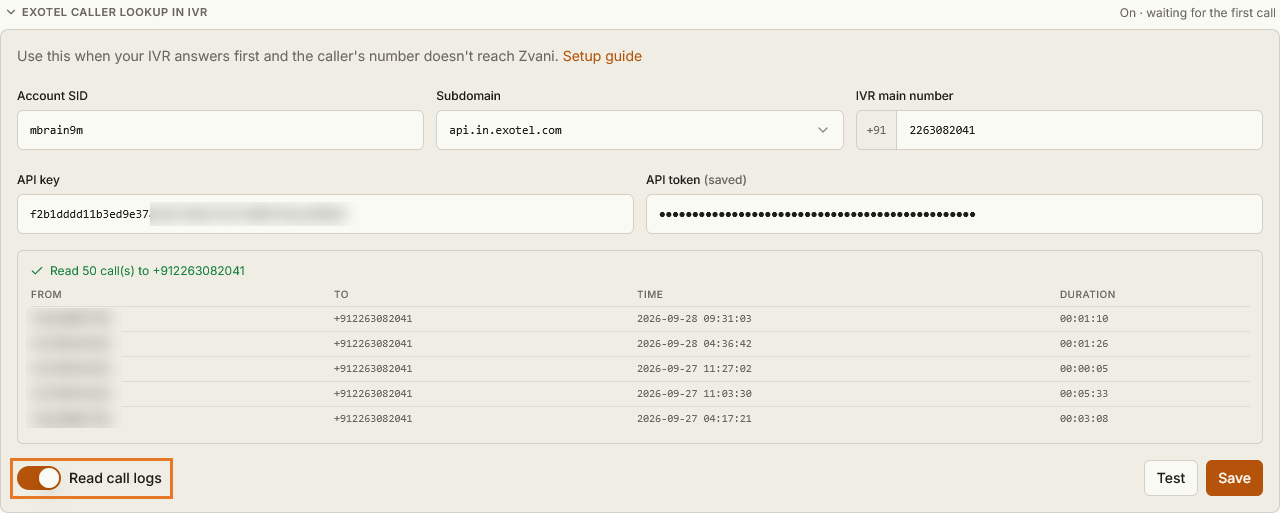
Questions.
Which Exotel account do I create the key in?
+
The account your IVR setup is configured in — the one customers dial. That is where Exotel records the caller's number.
Can this key do anything else on my account?
+
No. Restricted to GET calls/* it reads your call log and nothing else — it cannot place calls, buy numbers or change a setting. Delete it in Exotel any time and we simply stop reading.
When does the caller's number appear?
+
A minute or two after the call ends. During the call itself the agent still does not know it.
Test says no calls to my number.
+
Either that number took no calls in the last week, or the number typed into Zvani is not the one customers dial. Test names the numbers your account did take calls on, so compare against those.
Test failed.
+
The Account SID, subdomain, key and token must all be from the same account, and the key's policy must include GET calls/*. Without it Exotel refuses the request.
My IVR is not on Exotel.
+
Then this does not apply, and your agent keeps asking callers for their number as it does today.
Updated 28 September 2026